Team
Transfer ownership of a workspace
Hand the workspace to an admin. You become an admin.
Last updated · Facts checked
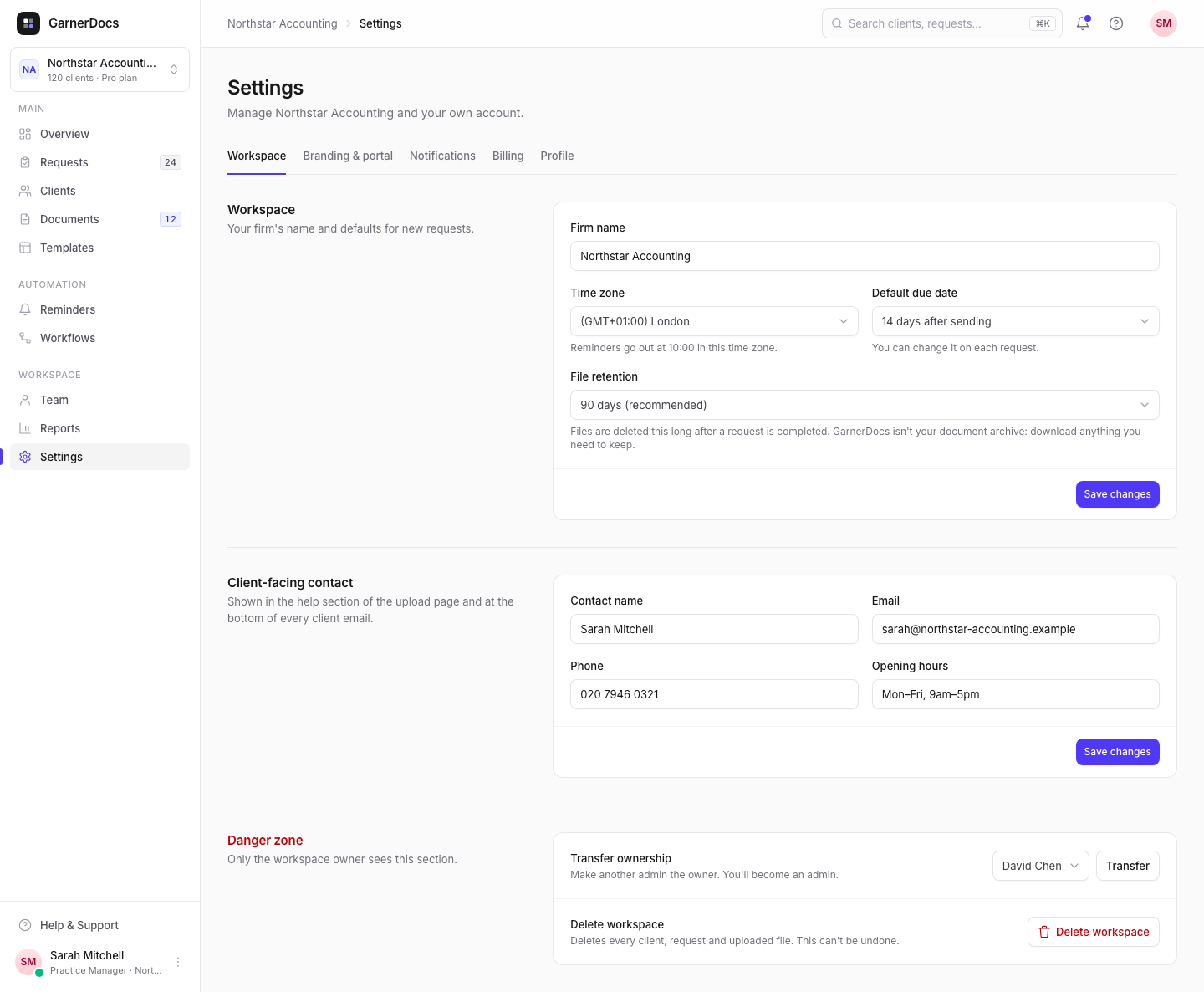
The owner can hand the workspace to an admin in Settings → Workspace, under Danger zone: choose the new owner and select Transfer. You become an admin.
Before you start
Only the owner can transfer ownership, and only to someone who's already an admin. If nobody is, make them an admin on the Team page first. Roles and permissions
Steps
-
Open Settings
Select Settings in the sidebar. The Workspace tab opens. You can also choose Transfer ownership from the ⋯ menu next to your name on the Team page.
-
Choose the new owner
Under Danger zone, next to Transfer ownership, choose an admin from the list.
-
Transfer
Select Transfer. It happens straight away, with no extra confirmation. You'll see "[name] is now the owner".
What changes
For the new owner: they get the Billing tab, the Danger zone (transfer ownership and delete the workspace), and file retention emails, which the owner can't turn off.
For you: you become an admin. You keep managing the team, settings and requests, but lose Billing and the Danger zone. You still get file retention emails unless you turn them off in Settings → Notifications.
Nothing else moves. Requests stay assigned to the same people, and clients, templates and files stay as they are. The change is recorded in the workspace's activity.
Billing
The subscription belongs to the workspace, not to a person, so the plan, renewal date and saved card carry on unchanged. From now on only the new owner can change the plan or open Invoices & payment.
Emails from Stripe, such as receipts, keep going to the billing address on file, which is the email of whoever owned the workspace when the subscription started.
Good to know
- To take ownership back, the new owner transfers it to you the same way.
- The owner can't be removed from the team or delete their account. Transfer ownership first, or delete the workspace.
- Ownership is per workspace. Owning one doesn't change your role in others.